InventoryOnline

InventoryPro Mobile Inventory App

Use Inventory Pro Mobile for receiving, picking, transfers, cycle counts, and delivery work. It runs in the browser, so your team can sign in from phones, tablets, and scanners without a full app install.

Mobile Inventory Work

Inventory Pro works on a wide range of hardware, so you can choose the phones, tablets, or scanners that fit your warehouse and budget.

The mobile app supports both batch and real-time work. If the signal drops, cached data and queued transactions help your team keep moving until the connection returns.

For dedicated scanner information, see our Supported Scanners page. For label printing hardware, see the Supported Printers page.
Mobile App Features

Inventory Control

Receive, issue, and move stock while tracking serials, lots, weight, age, and location data.

Barcode Scanning

Use 1D and 2D barcode scanning, plus RFID support, across desktop and mobile workflows.

Inventory Cycle Counts

Maintain accurate real-time inventory levels with scheduled or ad-hoc counting methods.

Multiple Order Processing

Pick, pack, or put away multiple orders at once to increase throughput for busy teams.

Offline Capabilities

Keep working when signal drops with cached data and a transaction queue that syncs later.

Order Picking and Packing

Follow guided order workflows based on FEFO and FIFO rules with support for pick paths.

Putaway / Stow List

Guide inbound stock to the right location based on current inventory and location defaults.

Real Time Inventory

All stock levels update in real time, so desktop and mobile users see the same numbers.

Delivery Tracking

Track inbound deliveries or outbound routes using your own vehicles and mobile devices.

Signature Capture & Tracking

Capture signatures for deliveries, transfers, shipment receipt, and other warehouse transactions.

Single Sign-On

Sign in with the credentials your team already uses through supported SSO options.

Mobile in Action

Receiving, stock issues, transfers, and counts use the same live warehouse data as desktop, with screens sized for scanners, phones, and tablets.

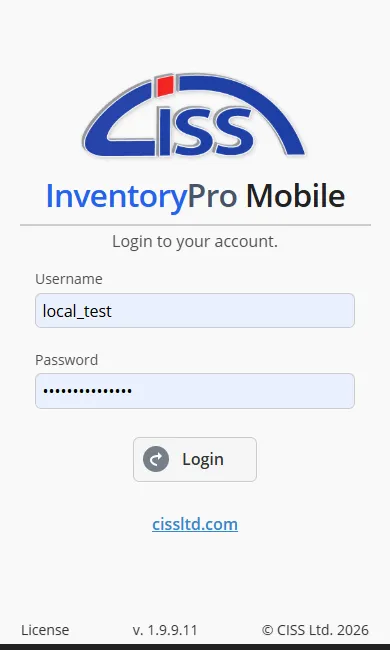
Phone login screen for Inventory Pro with sign-in fields and warehouse selection

Login

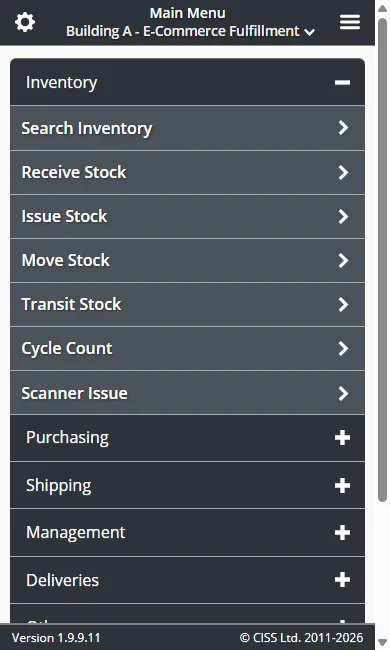
Inventory Pro mobile menu listing receive, issue, move, count, and order tasks

Main Menu

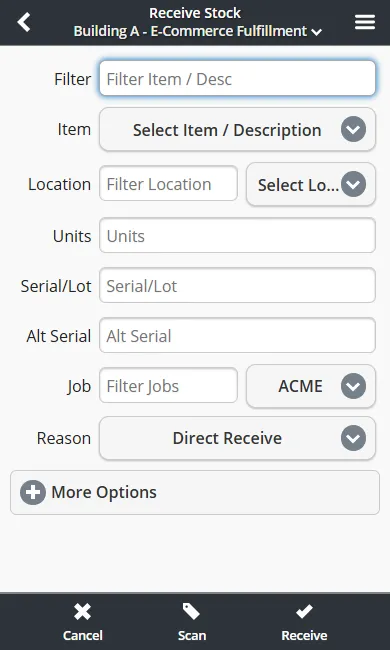
Mobile receiving screen capturing item, quantity, location, and purchase order details

Receive Stock

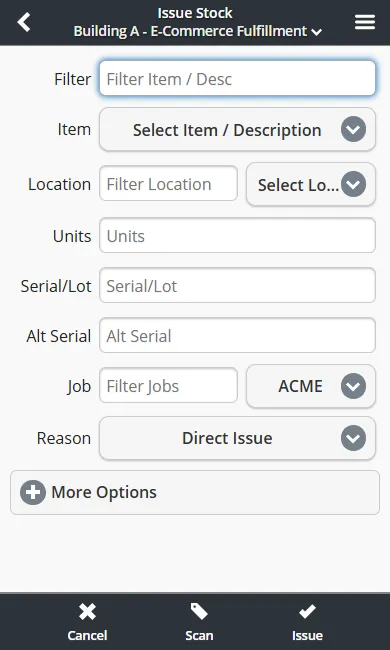
Mobile issue transaction screen showing item, quantity, destination, and cost center fields

Issue Stock

All mobile transactions move over HTTPS with TLS 1.2+ encryption. Cloud-hosted mobile users run on the same isolated instance model as desktop users, so your data stays separate from other customers. See our Privacy & Data Policy for details.

Inventory Pro is built on

And designed for

Take Control of Inventory Operations

See how Inventory Pro handles receiving, barcode scanning, order fulfillment, reporting, and mobile work. Start with the pages your team cares about most.

Start Free Trial Features Integrations Mobile App Inventory Pro Barcoding Free Tools